
In my last post I wrote about two apps I’d made because my own life needed them. This is the longer version of one of them. It’s the story of Pain Analytics, why I built it, and the one design decision that ended up shaping everything else.
The problem I was actually trying to solve
My wife lives with a chronic pain condition. A lot of managing something like that comes down to detective work. You’re forever trying to join the dots between what you did, what you ate, what the weather was doing, how much you slept, and how much pain turned up a day or two later. The trouble is that pain doesn’t keep neat books. A flare can trail an afternoon at the computer by three days. A good week can have no obvious reason at all. On any single day the picture is too noisy to read.
The usual advice is to track it, so she did. She worked through a fair few pain tracking apps over the years. Most of them handled the daily logging part well enough. Where they fell down, every time, was getting the information back out again.
Why the existing apps didn’t cut it
She didn’t want a pretty diary she could scroll through. She wanted her data as data. Something she could take somewhere and actually use.
There were three things she kept wanting to do with it, and almost nothing let her do them properly:
Look at long runs of it herself, across different treatments and different seasons, to see whether anything was really shifting.
Run it through an LLM to help surface correlations she might never spot by eye.
Hand a clean, complete history to her pain specialist, so a fifteen minute appointment could start from real information instead of “how have things been since last time?”
All three of those need one thing: the ability to export everything, in bulk, in a format you can work with. Not a screenshot. Not the last thirty days. The whole lot. And that turned out to be the feature almost nobody offered. When it existed at all it was usually crippled, capped to a short window or locked behind something.
That was the gap. So the app more or less designed itself around filling it.
The one decision everything else hangs off
I built Pain Analytics on a simple principle. The data is hers, it lives with her, and she can take all of it out whenever she likes.
Once you commit to that, a lot of other choices fall into place. If the data belongs to the person, it doesn’t need to live on my servers, so it doesn’t. Everything is stored locally on the device. There’s no account to make, no email to hand over, nothing collected in the background, and nothing sold to anyone. That isn’t a marketing line I bolted on afterwards. It’s just what “your data is yours” means if you actually take it seriously.
Export sits right at the centre rather than buried three menus deep as an afterthought. You can pull all of your history out, and it’s meant for real use, whether that’s your own spreadsheet, a language model, or your doctor.
Pain Analytics is on Google Play if you want to see how that shook out.
The rest of it, and why
Once the data question was settled, the day to day experience mattered most, because a tracker you resent is a tracker you stop using.
Logging had to be quick, because nobody wants to fill in a form while they’re in the middle of a flare. So there’s a fast Quick Log for getting an episode down in a few taps, and a fuller entry for when there’s time to add detail like location, type and duration.
It also had to fit how different people talk about their own pain. One person’s “burning” is another person’s “electric,” and everyone’s triggers are their own. So the pain types are yours to define, the triggers are yours to set up, whether that’s screen time or weather or a particular food, and you can track more than one part of the body at once.
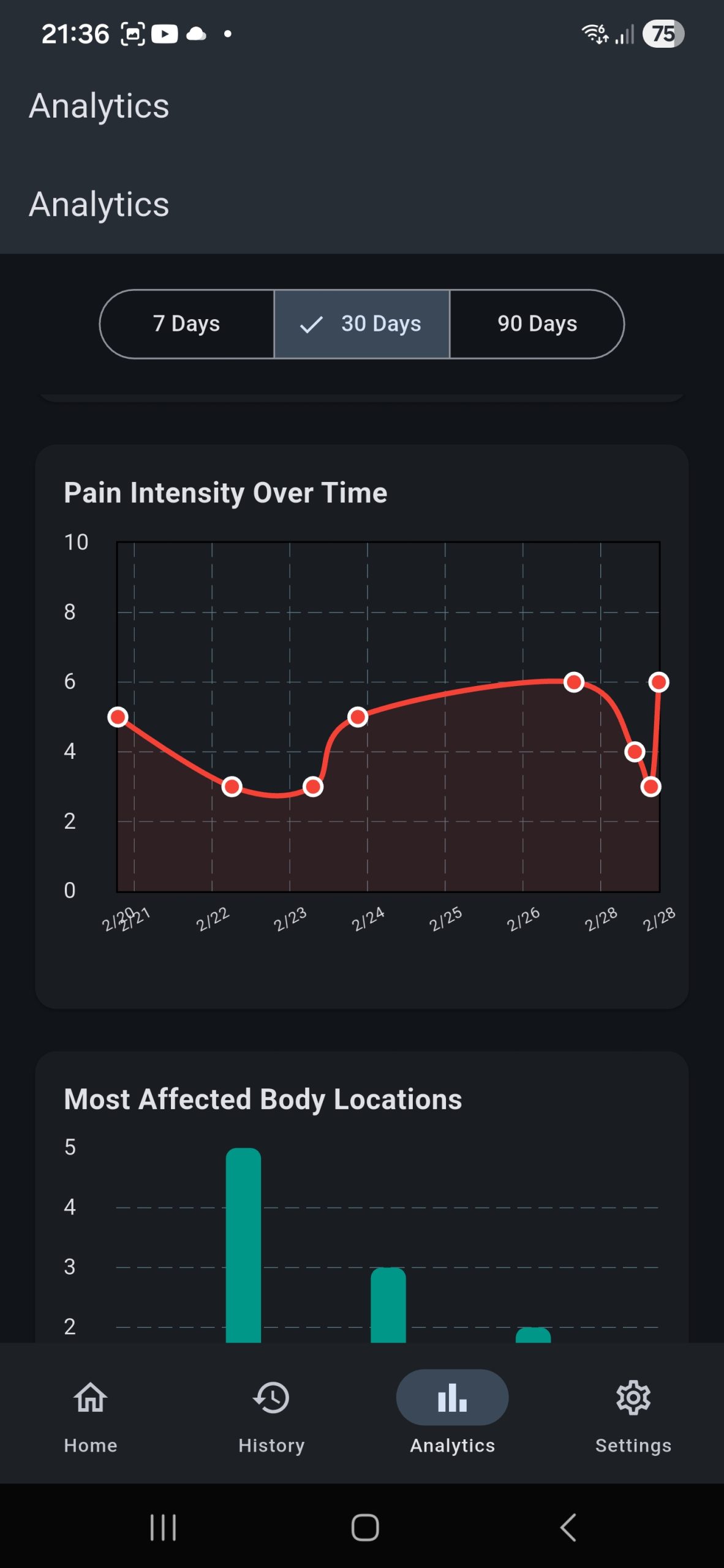
And it had to make the long view visible, since that was the whole point. The charts are there to show intensity, frequency and duration over time, so the patterns that hide inside a single noisy day start to show themselves across weeks and months.
The part I have to be careful about
I want to be plain about what this app is and isn’t. Pain Analytics records and shows you your own information. That’s the whole job. It is not a medical device, it doesn’t diagnose anything, and it won’t tell you what to do about what it shows you. Anything you spot in your own data is something to take to a qualified healthcare professional, not a decision to make on your own from a chart on your phone. The aim is only ever to help you walk into that conversation better prepared.
How I actually built it
I’ll be upfront about this, because I think it’s the interesting part. I leaned on an LLM heavily to build this, but I went about it like a developer building a real product rather than someone asking a model to conjure an app.
I started with the architecture instead of the screens. Get the database and the back end right first, make sure the foundation could hold everything I wanted to track over years, and only then work through the app page by page. For the bulk of the writing I used Gemini from inside Android Studio, and whenever I wanted a piece of the interface to be just so, I dropped into the code and made the small edits myself.
It was a lot of back and forth, more than I expected. But that was the point. Because I was steering closely the whole way, the finished app looks like the thing I had in my head, not something a model designed for me while I watched. For an app my wife was going to lean on every day, that mattered. I wanted the decisions to be mine.
There’s a twist to this, though. I built the other app, TypeRelief, in almost the exact opposite way, handing far more of the early work over to Claude. Doing the two back to back taught me something about building with these tools that I didn’t see coming, and I got into that properly in the TypeRelief write-up.
Where it goes next
It’s early days for the app, and honestly the person whose opinion matters most here is the one I built it for. If you or someone you know is doing the same daily detective work and getting let down by tools that won’t hand your own data back to you, it might be worth a look. If you try it, I’d like to know what works and what doesn’t.
Leave a Reply